Try the manager app.
The supplemental TanEngine manager app comes free with the desktop software. This is the real app, running a made-up salon. Tap around: everything works just as it will on your phone.
Made-up salons: all names and figures are fictional. Open the demo full screen
Things to try
Watch the beds
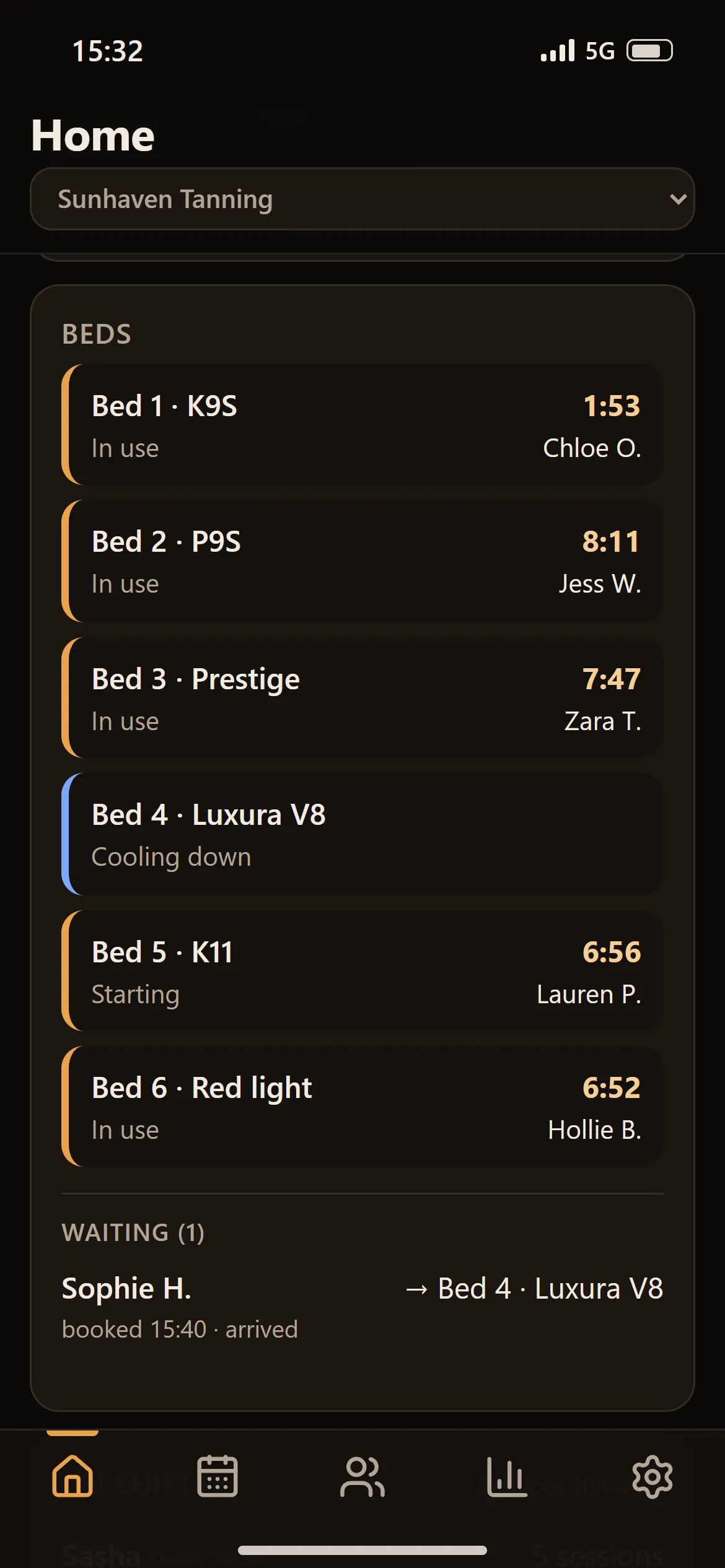
On Home, sessions count down live. Beds start, cool down, get cleaned and fill up again as you watch, and the takings go up. Scroll down for the latest free minutes and discounts given, and who gave them.
Open the diary
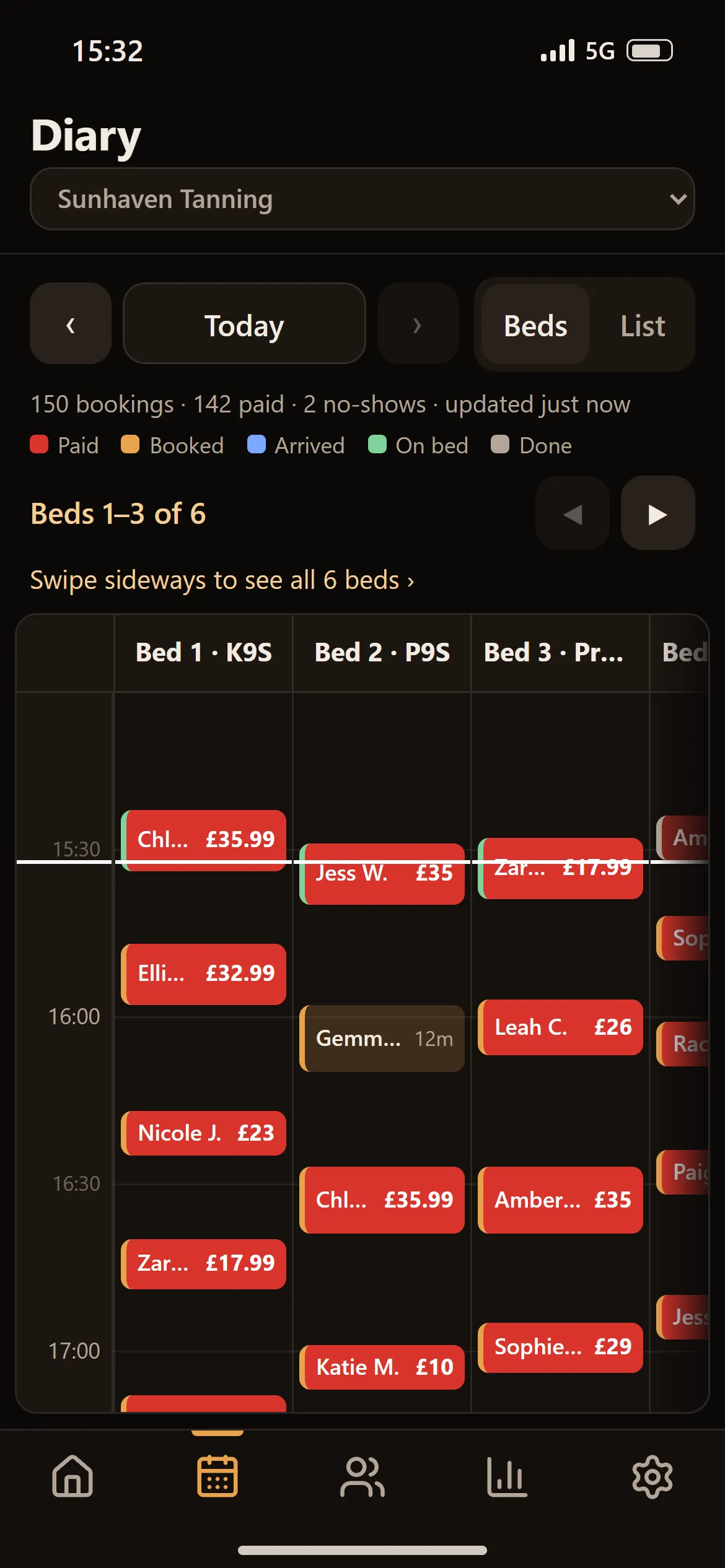
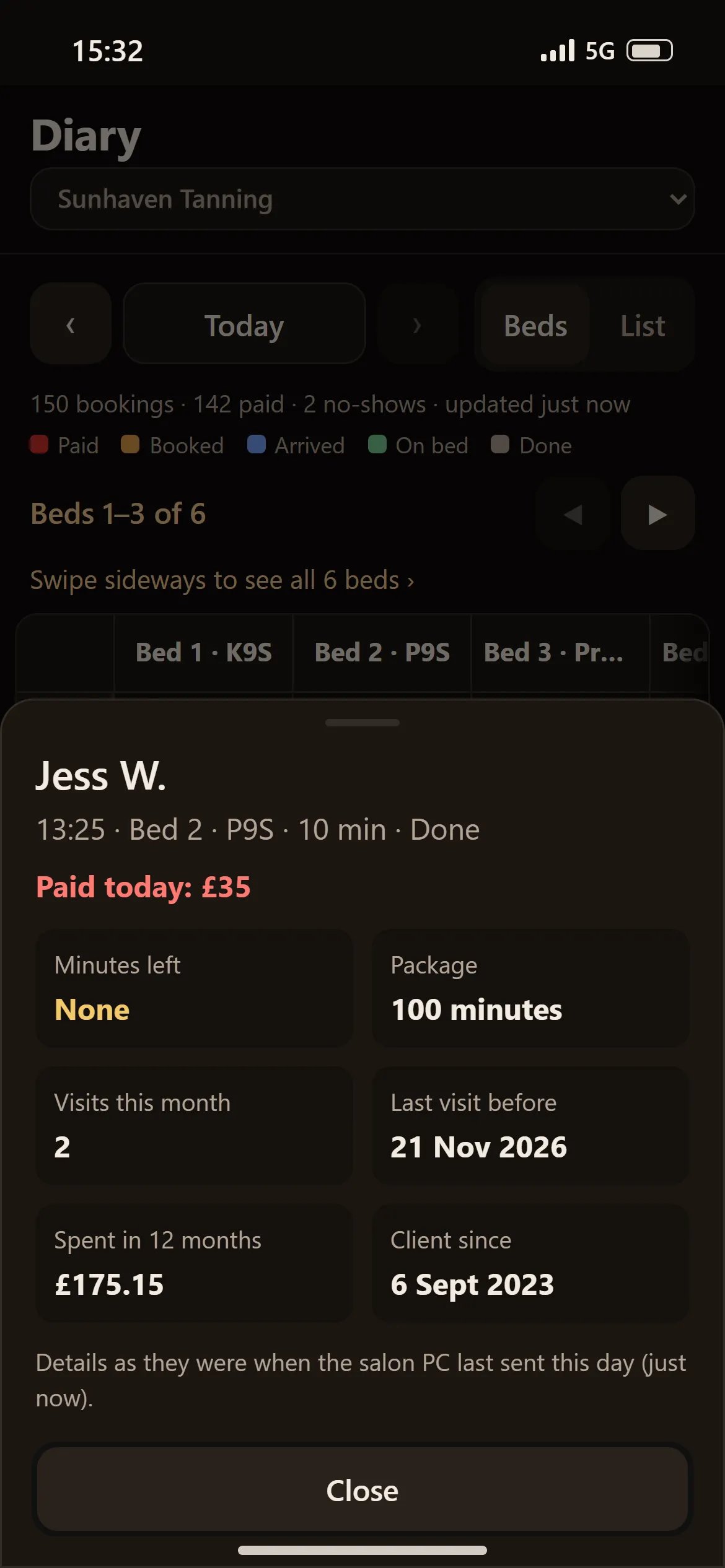
Today’s bookings bed by bed. Paid bookings show in red with what the client spent. Tap a booking for the client’s minutes left, package, visits and spending. Swipe across the beds, switch to a list, or step back through the last 30 days.
Check the rota
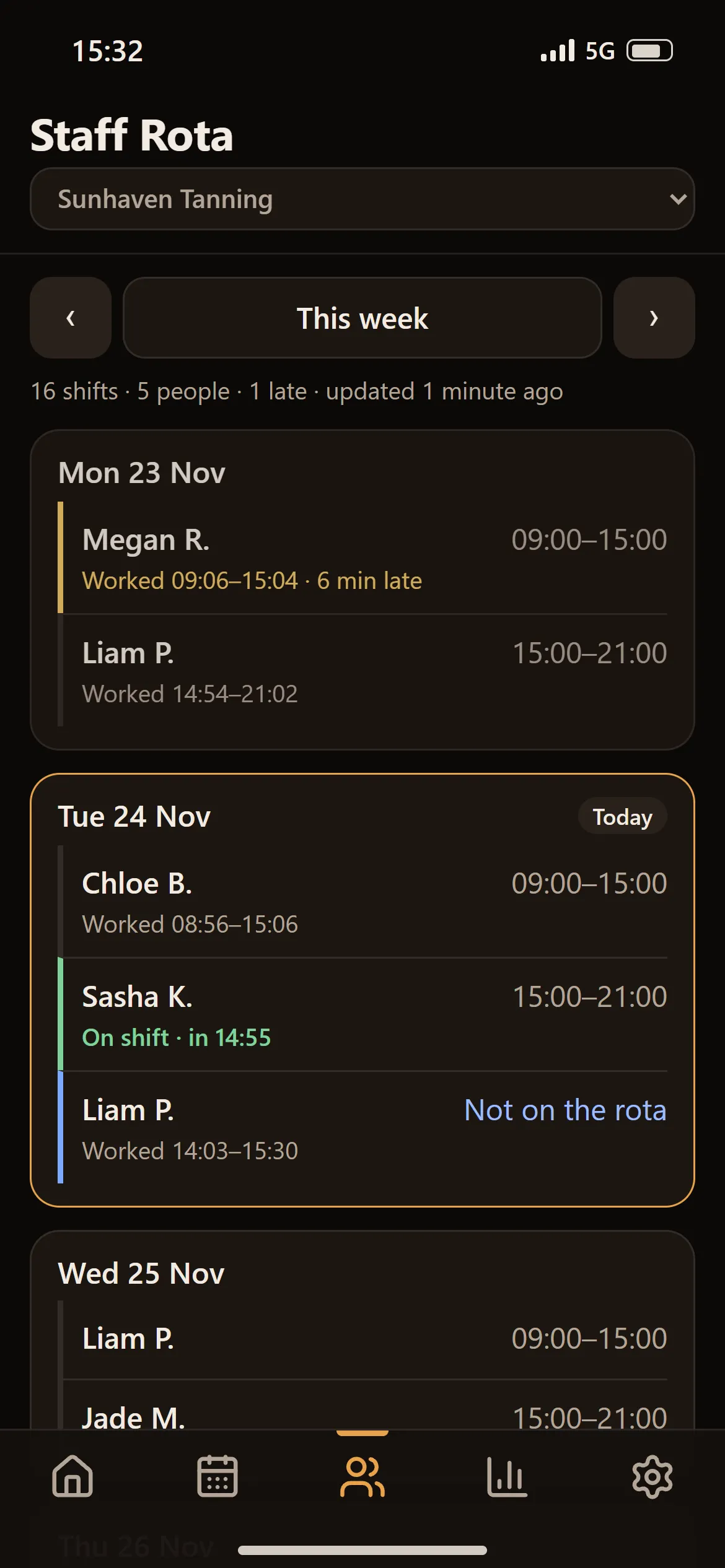
Who’s working each day, who’s on shift now, and who clocked in late or not at all. Go back 4 weeks or ahead 8.
Switch salons
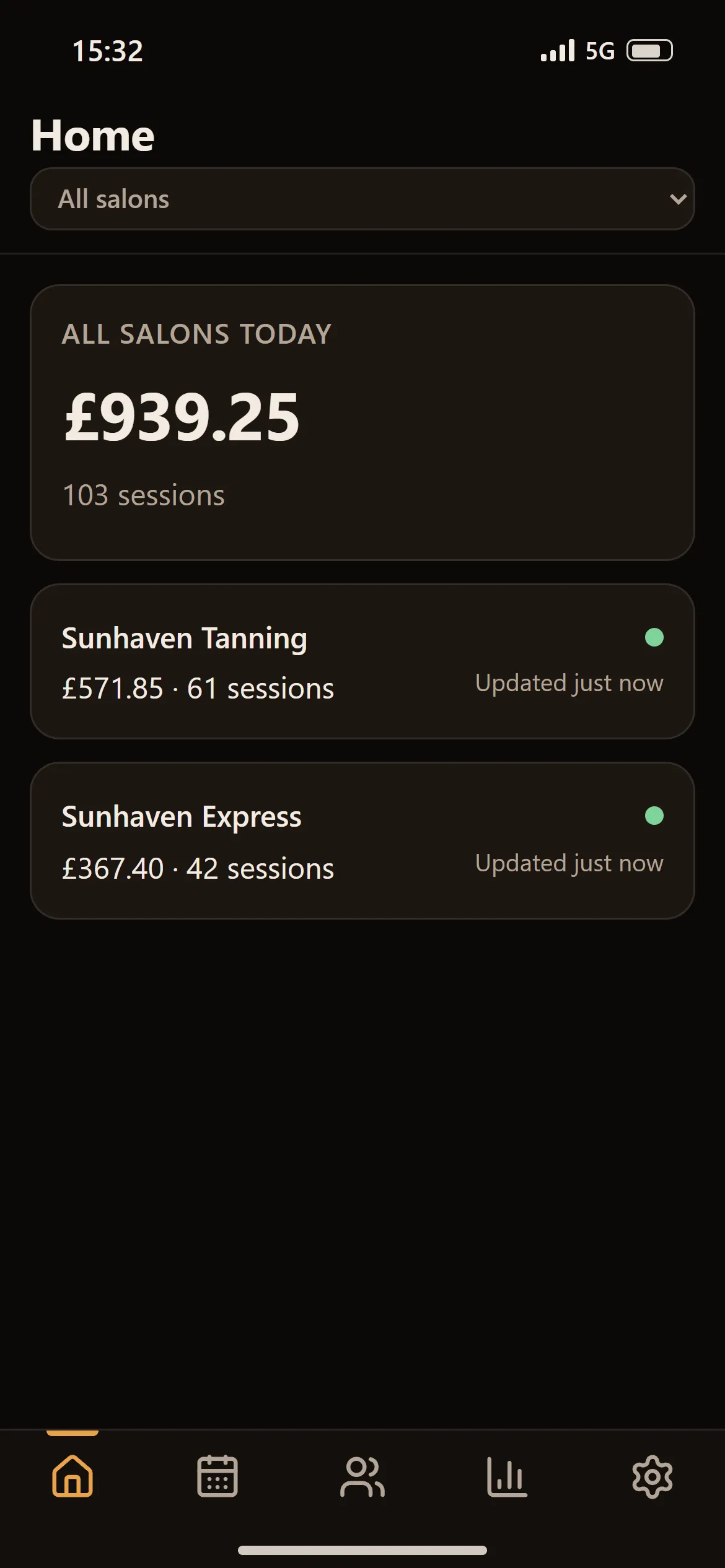
This demo phone sees two salons. Pick one at the top, or “All salons” for both together.
See the stats
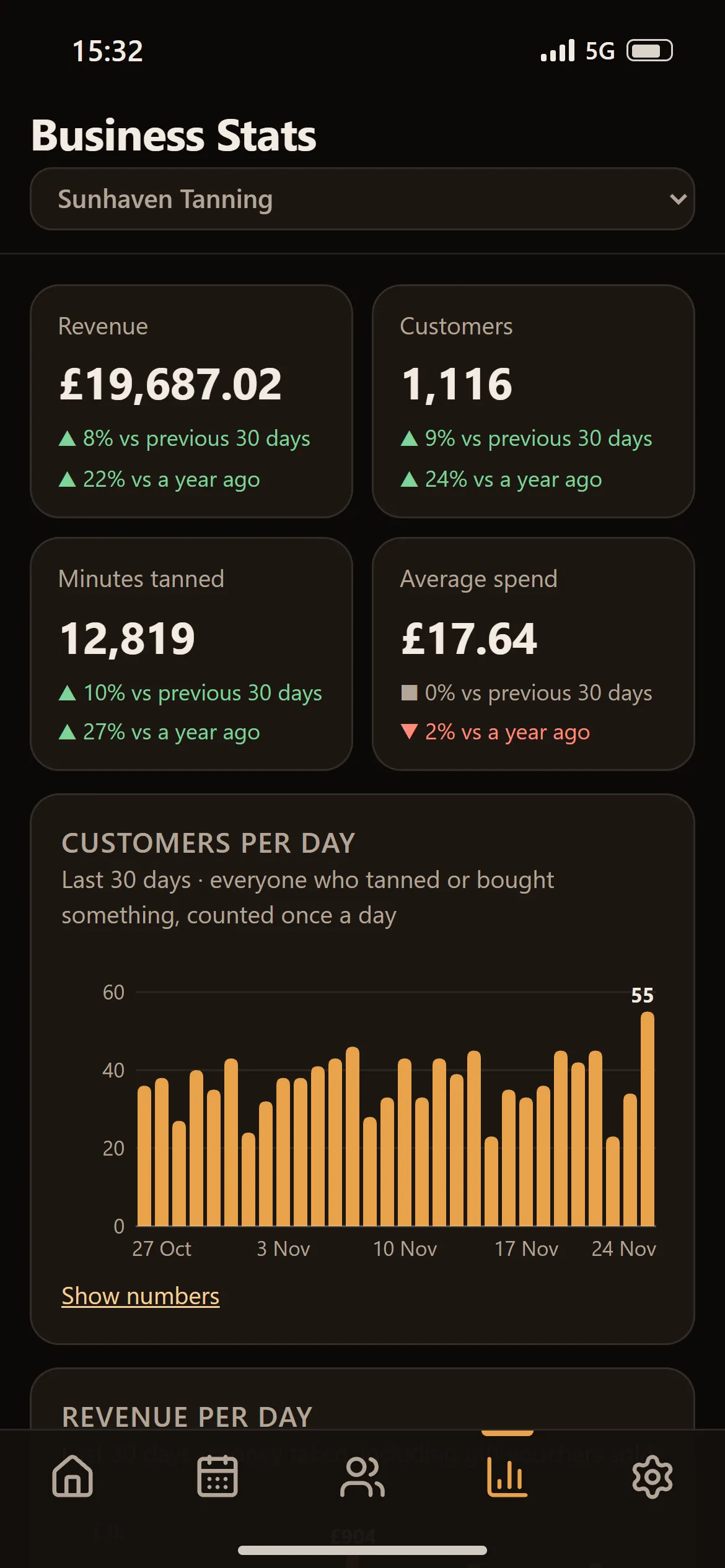
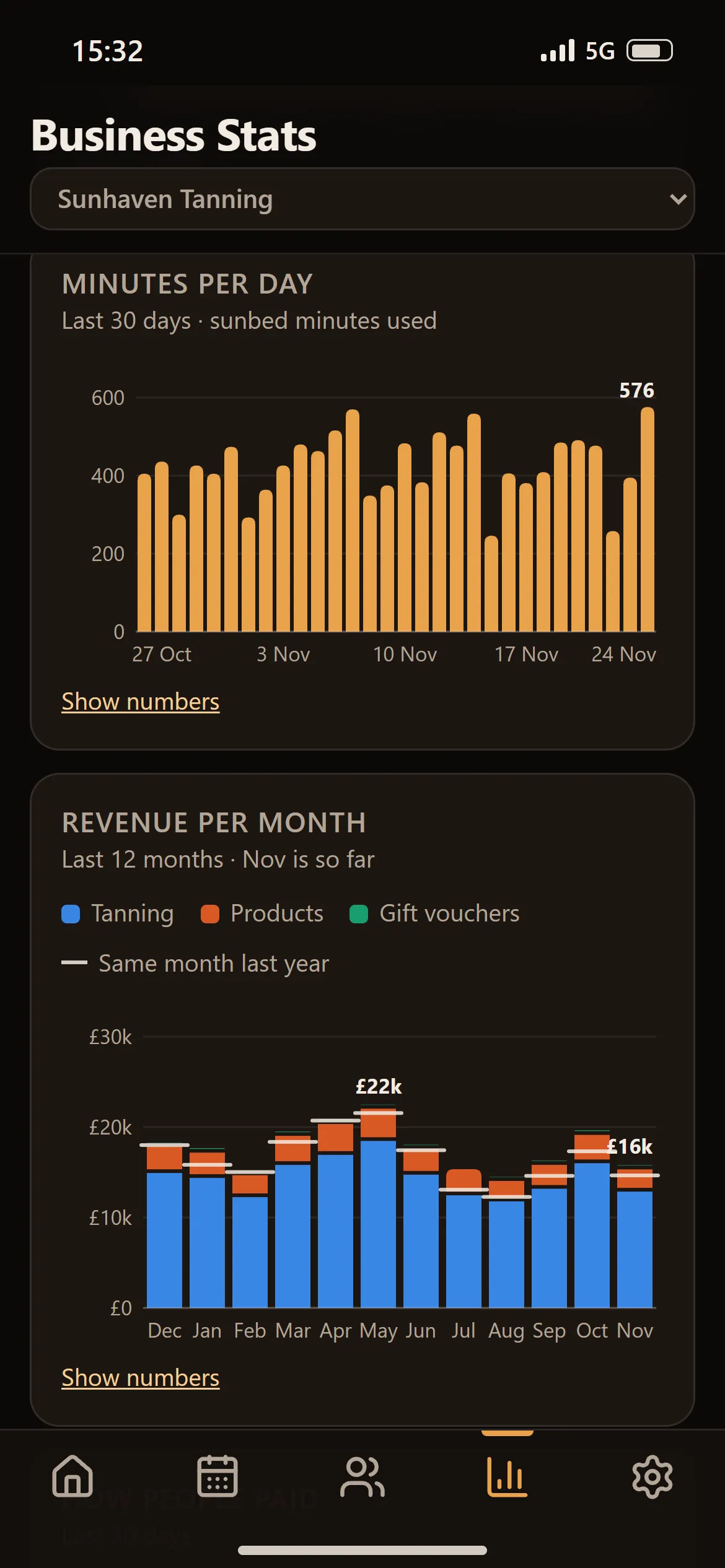
Customers, revenue and minutes for the last 30 days, revenue by month for a year, the busiest days and hours, and how busy each bed is. Tap any bar for its figure.
Get alerts
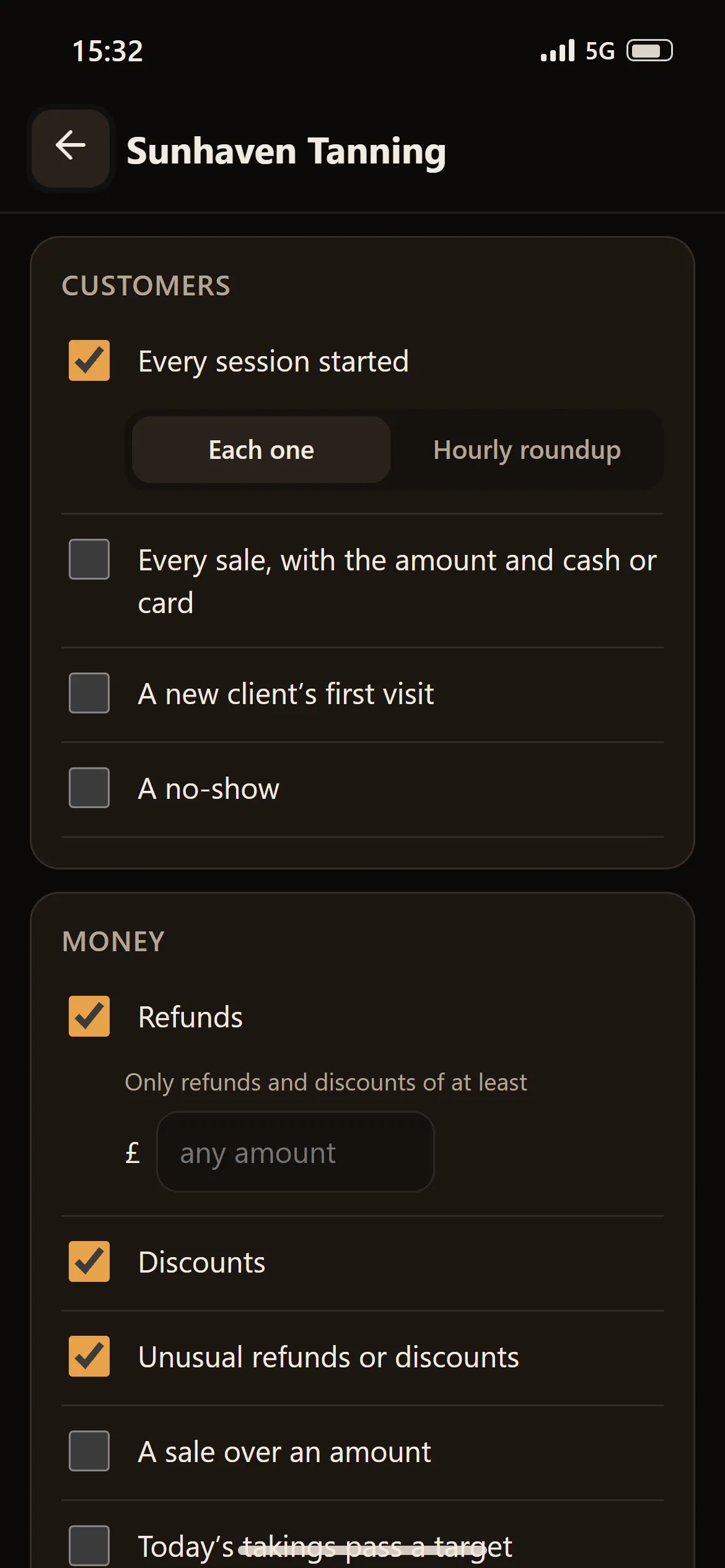
In Settings, turn on notifications, then open a salon’s Notifications screen: pick from 23 alerts, set amounts and times, choose each one or an hourly roundup, set quiet hours, and send a test.
View only
Nothing on the phone can change anything in the salon or start a bed. Clients and staff show by first name and surname initial, never with phone numbers, emails or addresses.
On a real phone the app is locked: it asks for Face ID, your fingerprint or passcode every time it’s opened. This demo skips that step.
The manager app is free with TanEngine, alongside the desktop software on your salon’s PC.
Get TanEngineEverything on one phone.
Scroll through the app’s screens, from the same made-up salon.
- 01
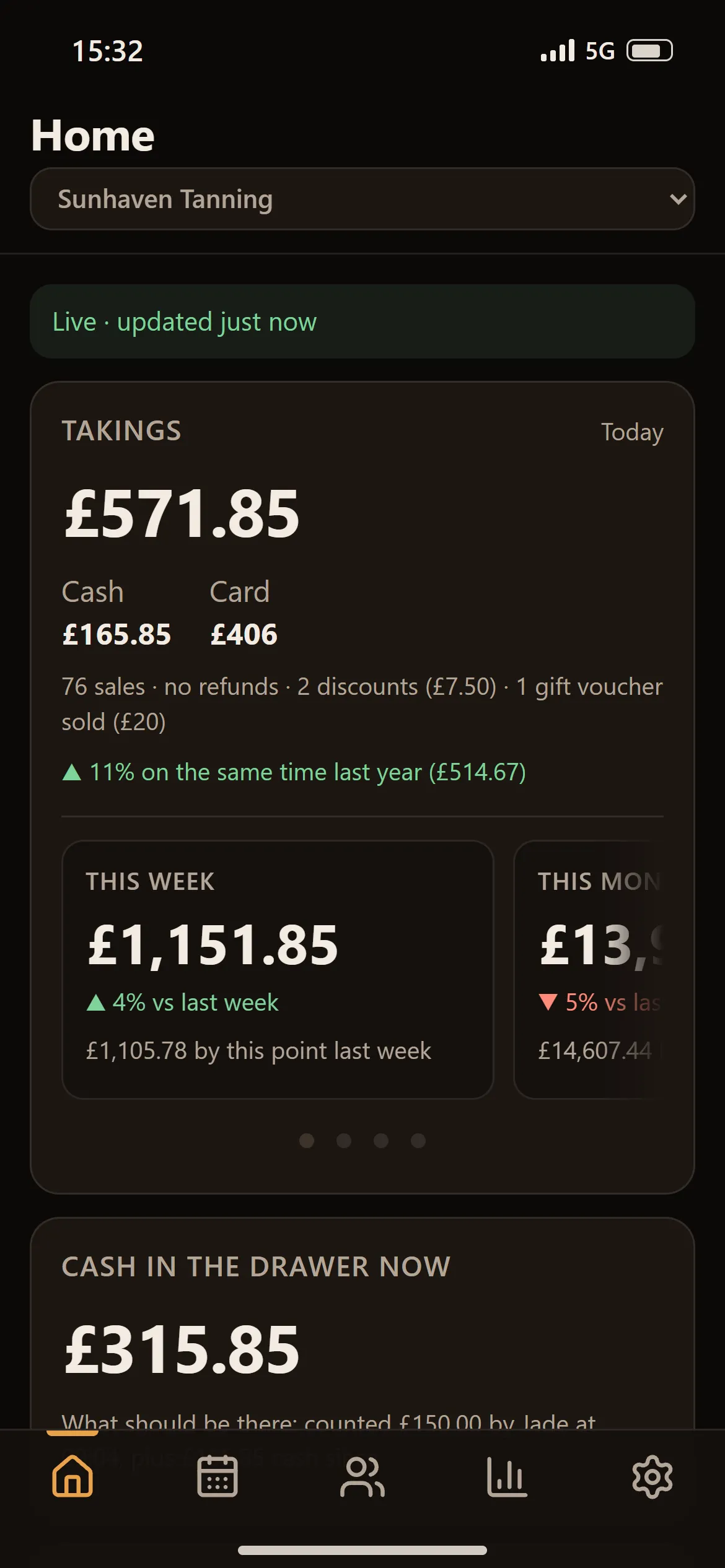
Today’s takings, as they come in
Cash and card, discounts and gift vouchers, and how today compares with the same time last year. Swipe for this week and this month.
- 02
Every bed, counting down
Who’s on each bed and the minutes they have left, which beds are cooling down, and who’s waiting next.
- 03
The diary, bed by bed
Today’s bookings side by side, paid ones in red with what was spent, and a line across at the time now.
- 04
Tap a booking for the client
Minutes left, their package, visits this month, what they’ve spent in a year and how long they’ve been coming.
- 05
Who’s working
The week’s shifts, who’s on now, and who came in late or worked when they weren’t on the rota.
- 06
How the month’s going
Revenue, customers, minutes and average spend for 30 days, against the 30 days before and a year ago.
- 07
A year at a glance
Minutes every day, and revenue for each month split into tanning, products and gift vouchers, with the same month last year marked.
- 08
All your salons together
More than one salon? See them added together, or each on its own.
- 09
Only the alerts you want
Bed faults, refunds and cash checks are on to start with. Add every session or sale (or an hourly roundup), big sales, a takings target, staff late, a quiet spell, and a weekly summary. Quiet hours keep nights free.