Sell minutes and products
Take payment on the till or from a client's record, scan barcodes, attach a client and see today's takings.
Who can do this: Owners and managers
There are three places to sell:
- The Till: for anything, including walk-in product sales.
- A client’s record: Sell package or Sell product.
- The booking popup: the Buy more tab, while you put them on a bed. Staff accounts can sell here too.
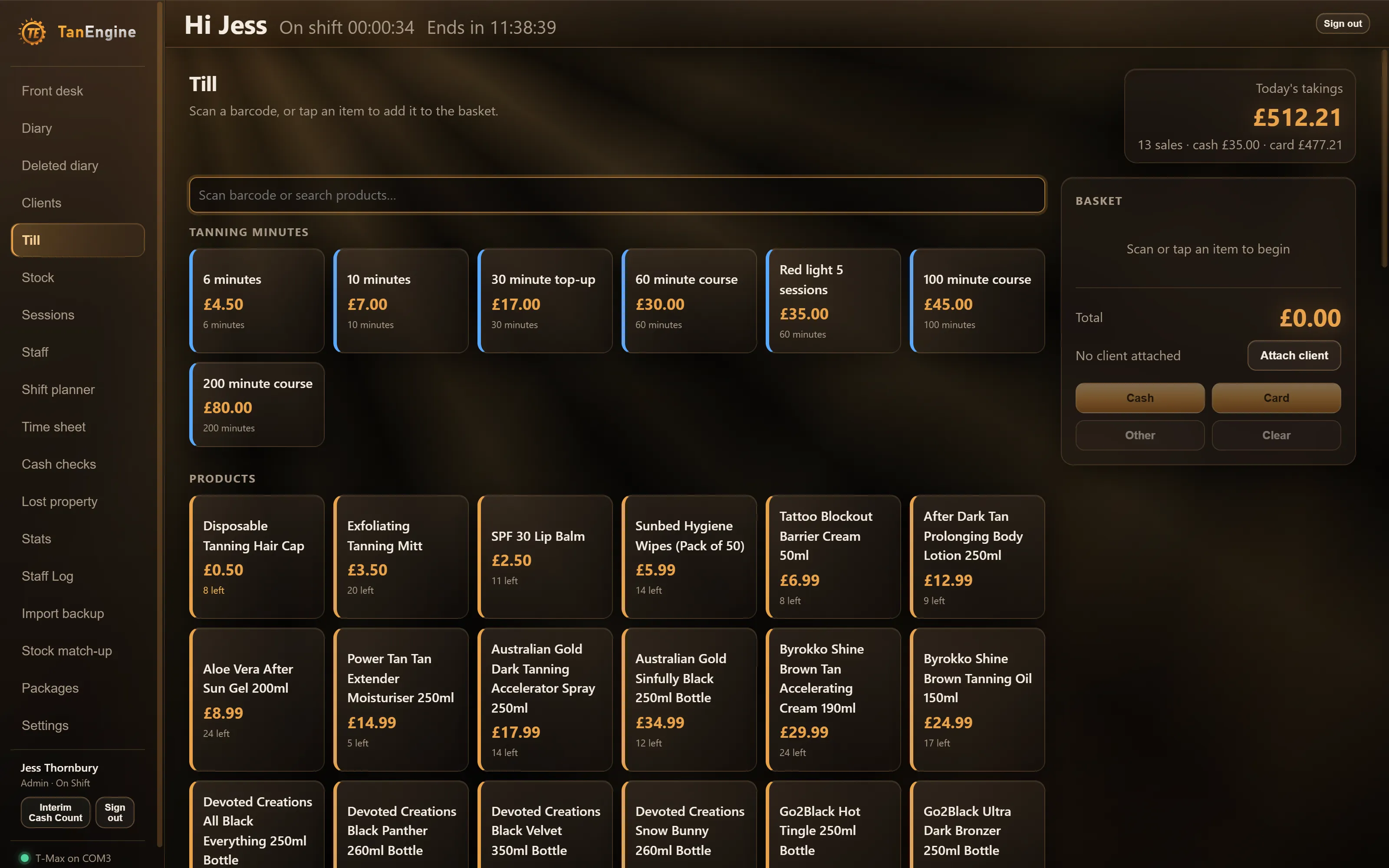
Sell on the till
- Open Till from the menu.
- Tap the items: Tanning minutes packages and Products. Or scan a product’s barcode into Scan barcode or search products….
- Use − and + in the Basket to change quantities. Clear empties it.
- Selling minutes? Click Attach client and pick who they’re for (search by name, phone or card). Minutes must go onto a client.
- Press Cash, Card or Other.
The payment is taken straight away and you’ll see how much was taken. Minutes go straight onto the client’s balance, and products come off your stock.
Important: Pressing Cash, Card or Other takes the payment immediately, so check the basket first.
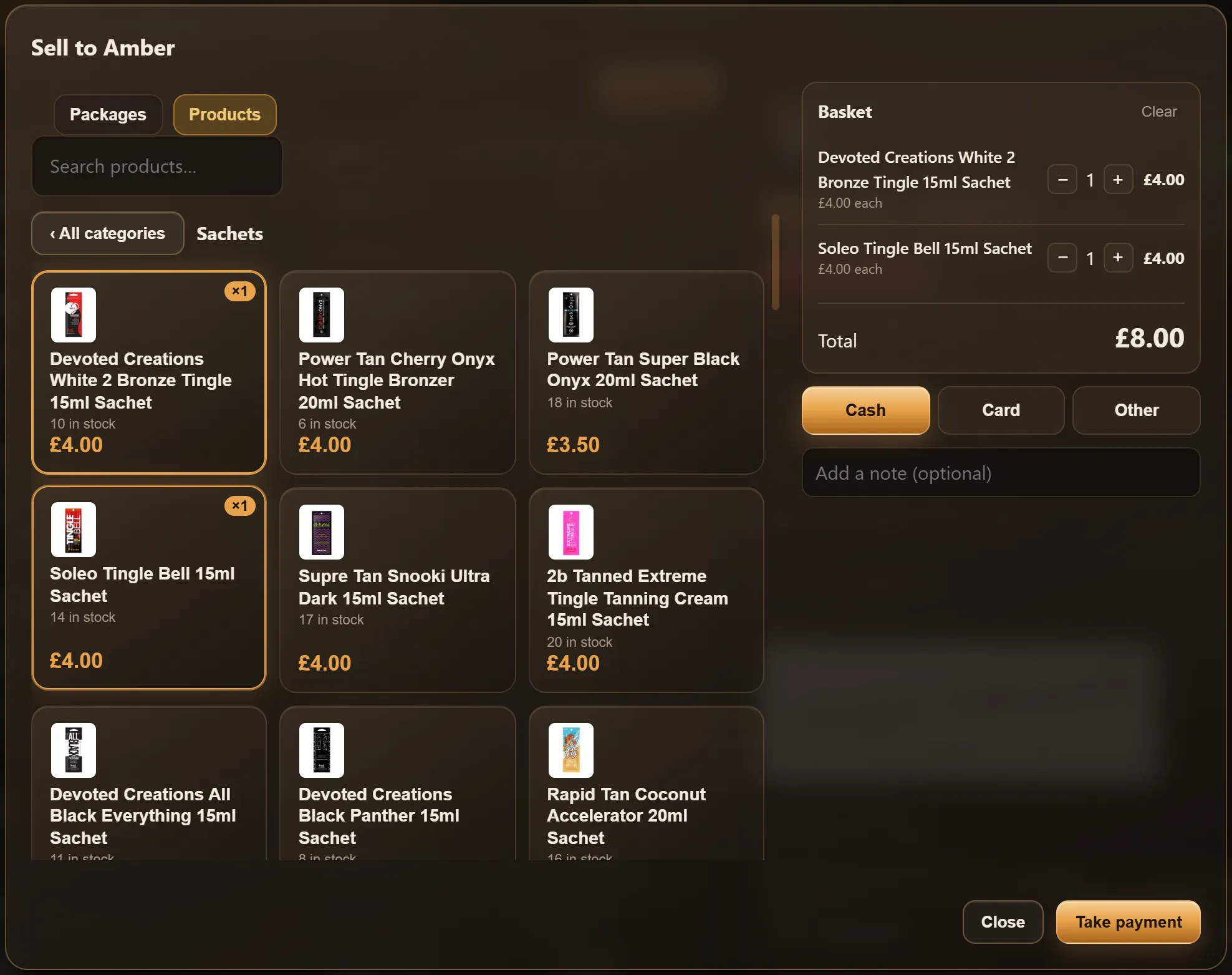
Sell from a client’s record
- Open the client on the Clients screen.
- Click Sell package or Sell product.
- Pick a category, then tap items to add them to the basket. Products show their picture, how many are in stock and the price.
- Choose Cash, Card or Other, add a note if you like, and click Take payment.
Scanning barcodes
Click into the till’s search box and scan. If the barcode matches a product that’s on sale, it goes into the basket. “No product with that barcode” means no product has that barcode yet. Add it to the product with Edit on the Stock screen.
Today’s takings
The top right of the till shows Today’s takings: the total, the number of sales, and the cash and card amounts. Refunded sales drop out of the total.
Good to know
- You can’t sell more of a product than you have in stock.
- Prices include VAT.
- TanEngine doesn’t print receipts.
Screenshots show a demo salon. All client names and details are fictional.