The sessions list
Every recent session on every bed, with minutes charged and anything that went wrong.
Who can do this: Owners and managers
Open Sessions from the menu to see the most recent 200 sessions, newest first.
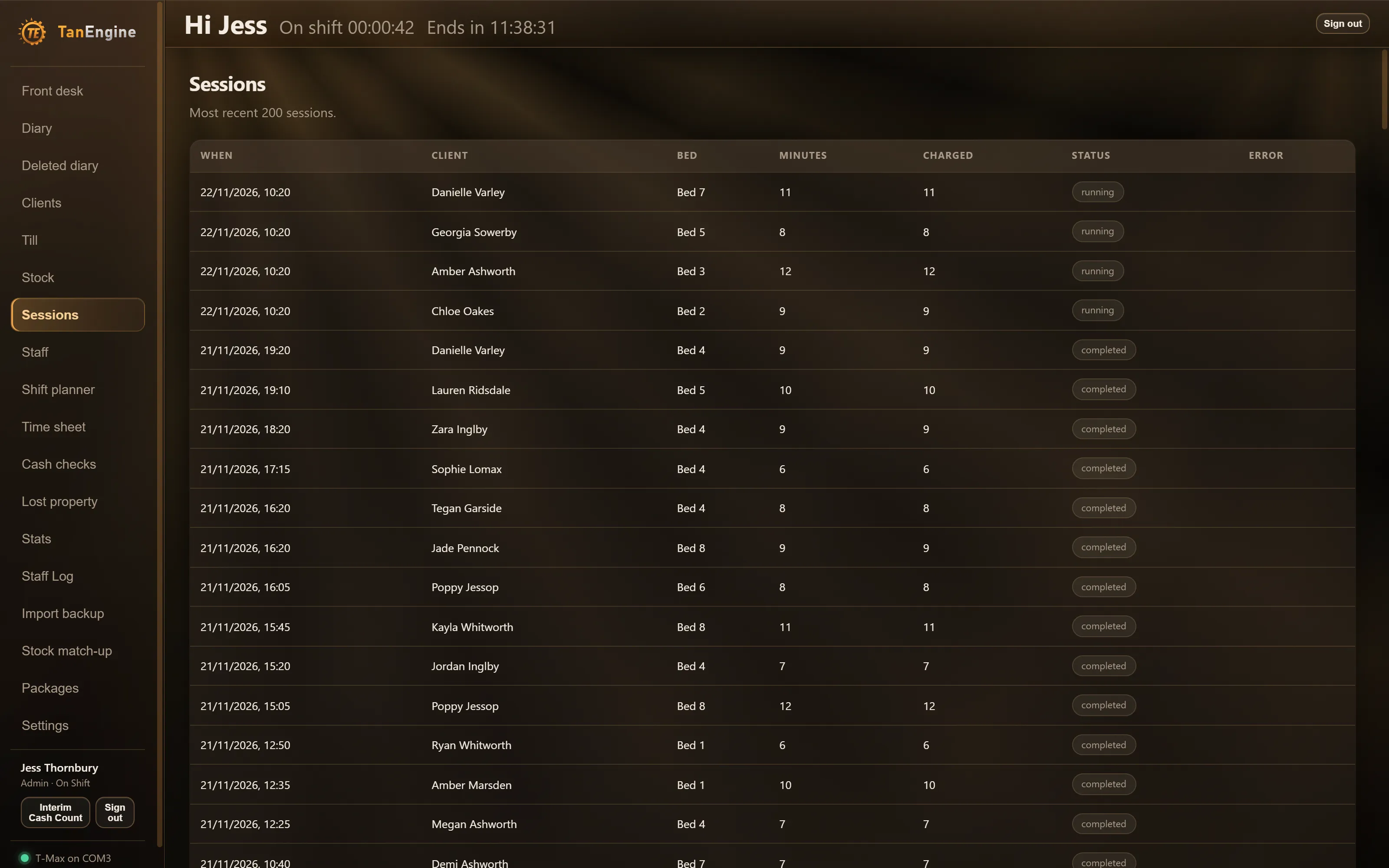
| Column | Shows |
|---|---|
| When | When the session started. |
| Client | Who was on the bed. |
| Bed | Which bed. |
| Minutes | Total minutes, including free minutes. |
| Charged | Minutes taken off their balance. |
| Status | running, completed, cancelled, failed or pending. |
| Error | What went wrong, for example “Stopped at the bed with 3:20 left”. |
Tip: If a customer says their session stopped early, check the Error column. It shows when a bed was stopped at the bed and how much time was left.
A failed session never reached the bed, so no minutes were charged. A session cancelled before the lamps came on has its minutes refunded automatically.
Screenshots show a demo salon. All client names and details are fictional.